
Insights
Three-Statement Financial Model for Amazon.com, Inc.
This three-statement model for Amazon.com, Inc. will be used in the next installment of the Integrating Financial Statements series. While I have not typically posted a work in progress, I believe this will be helpful to ASM visitors in the interim.
Private Equity / Investment Banking: Getting the Job
I work as an investment professional at a private equity firm in Dallas, TX, and since 2013 I have also been building a financial modeling and private equity training resource with the intention of making instruction simple and content accessible. I wrote about the experience of maintaining both in an article that was later picked up by Forbes (link), which sheds some light on my experience maintaining a “side hustle.”
Real Estate Financial Model / Template for Multifamily Property
In this post you will find a template for the acquisition of a fictional 160 unit multifamily property. The template was developed in collaboration with a couple friends that are real estate professionals.
Private Equity Fund Structure
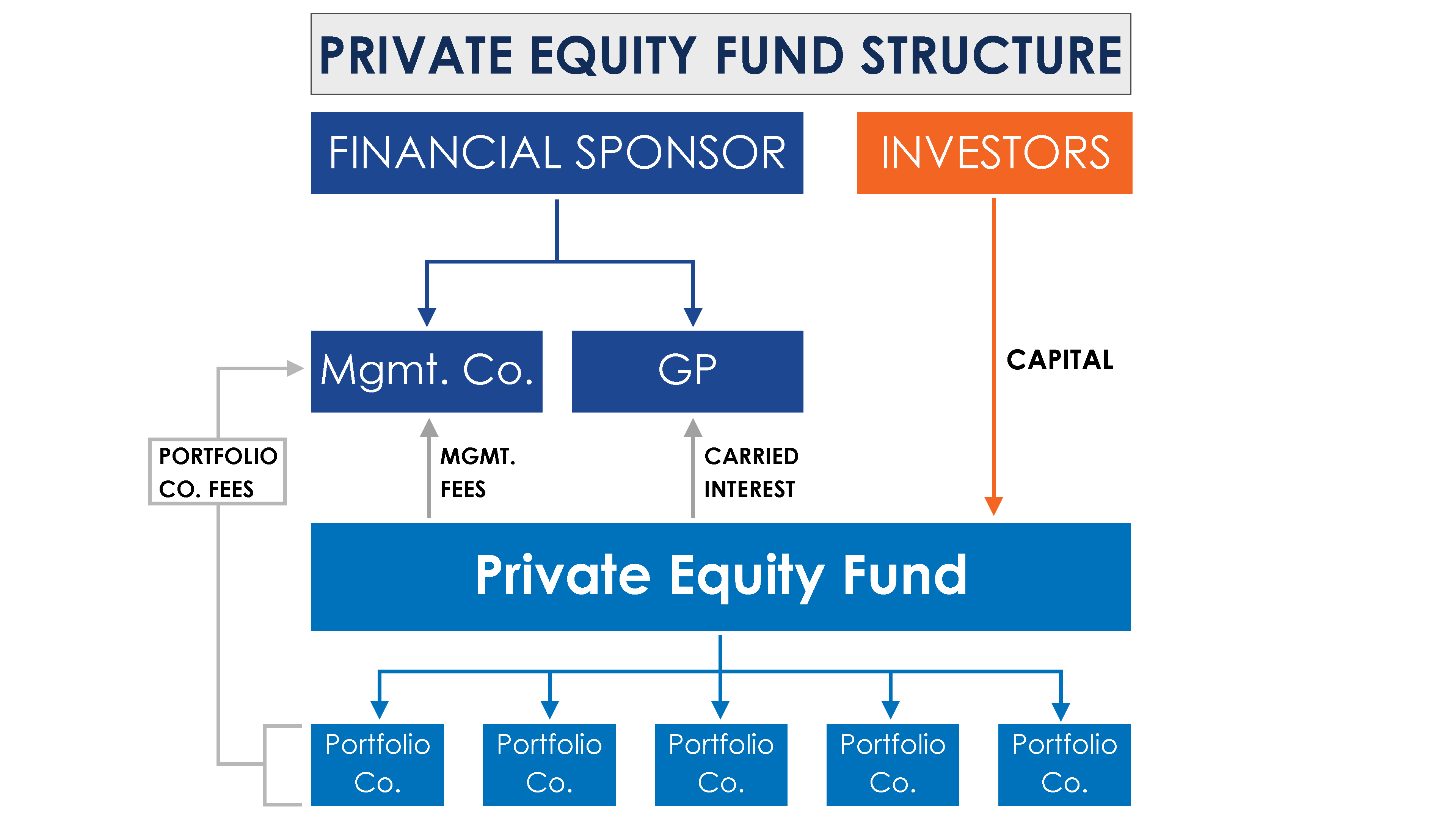
Private equity funds are closed-end investment vehicles, which means that there is a limited window to raise funds and once this window has expired no further funds can be raised. These funds are generally formed as either a Limited Partnership (“LP”) or Limited Liability Company (“LLC”).
Commission Structure & HLOOKUP Practice
I recently developed a quick template to look at potential commission structures for a business with customer concentration and large contracts. I thought a simple version of the Excel workbook would provide some decent Excel formula practice.